On this page
IRS Form 8453: What the E-File Transmittal Is and When You Actually Mail It
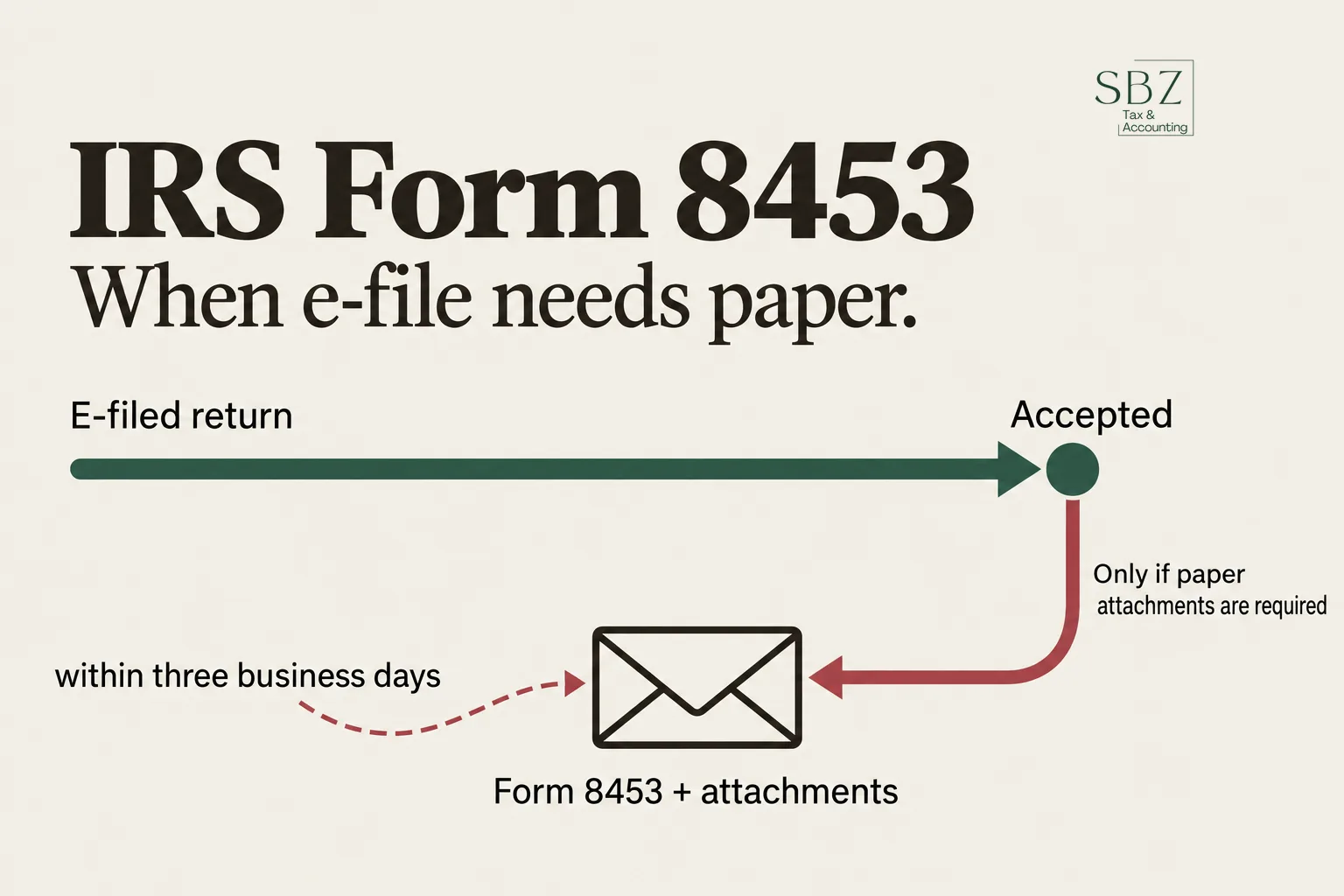
IRS Form 8453 is a paper transmittal you mail to the IRS after e-filing a return, so that signed forms or supporting documents the IRS can't accept electronically reach your file. Most e-filers never see it. If your software or preparer hands you one, it means something on your return still has to travel by mail.
Here's the short version of how it works, which version you need, and the mistakes that cause problems.
What is IRS Form 8453?
Form 8453, U.S. Individual Income Tax Transmittal for an IRS e-file Return, is a cover sheet. It ties a set of paper documents to a return you already transmitted electronically. The return itself goes through e-file. The paper attachments ride along on the 8453.
It is not a second return, and it does not replace your signature on the e-filed return. Your signature for the return itself is handled through a self-select PIN or a signature authorization such as Form 8879. The 8453 only exists for the paper that can't be attached to the electronic file.
Who has to file Form 8453?
You file it only when your e-filed return requires paper documents that can't be transmitted electronically. The form's own checklist lists the qualifying attachments, and it changes over time, so read the current instructions rather than relying on a list from memory.
Typical examples from that checklist include:
- Form 1098-C or a written acknowledgment for certain donated vehicles
- Form 2848, power of attorney, when attached to a return
- Form 3115, a change in accounting method (see IRS Form 3115)
- A signed appraisal or other required statements supporting noncash charitable contributions
- Form 8332 or a similar release of a dependent claim by the other parent
- Certain supporting statements tied to Form 8949
If none of that applies to you, you don't send an 8453. A plain e-filed return with a PIN or Form 8879 signature is complete on its own.
Which version of Form 8453 do I need?
The version depends on the type of return you filed. The numbering follows the entity.
| Version | Used with |
|---|---|
| Form 8453 | Individual returns (Form 1040 family) |
| Form 8453-FE | Estates and trusts, tied to Form 1041 |
| Form 8453-TE | Exempt organization returns |
| Form 8453-CORP | Corporate returns |
| Form 8453-PE | Partnership returns, tied to Form 1065 |
| Form 8453-EMP | Employment tax returns |
Searching "irs form 8453 fe" or "irs form 8453-te" lands on the same family of forms. They work on the same principle: an electronic return, plus a paper transmittal for whatever can't be sent electronically. The exact attachments each version accepts differ, so check the instructions for the one you're using.
Business owners who run an S corporation or a corporation generally deal with the corporate version only when a required attachment isn't e-fileable. Our S-corp and business tax services team handles that routing as part of the return.
When do I mail Form 8453?
Mail it after the IRS acknowledges that it accepted your e-filed return, not before. The general rule is within three business days of that acceptance notice.
That order matters. If you mail the paper first, there is nothing on the IRS side to attach it to. If you e-file and then wait weeks, the documents can arrive after the IRS has already processed the return without them, which can trigger a notice asking for what's missing.
Keep the acceptance confirmation from your software or preparer. It is your proof of the date the clock started.
Where do I mail Form 8453?
The mailing address depends on the form version and where you live, and the IRS has revised these addresses over the years. The correct address is printed in the current instructions for the exact form you're filing. Use that one, not an address you found on an old PDF.
A few practical habits help:
- Use a trackable method, such as certified mail or a carrier with delivery confirmation.
- Send copies of your documents and keep the originals, unless the instructions specifically say originals are required.
- Put your name and Social Security number or EIN on every page.
- Keep a copy of the whole package with the date you sent it.
What if I forget to file Form 8453?
If a required attachment never reaches the IRS, the return you e-filed can be treated as incomplete for the item the document supports. In practice this often shows up as a notice requesting the missing paperwork, or as a disallowed item.
The fix is usually to send the 8453 and attachments late, along with whatever the notice asks for. If the notice has a deadline and you're past it, or the IRS has already adjusted your return, that's the point to get help. Our IRS and state tax problem help page explains how those notices are handled. If instead you need to change the return itself, see how amending a return with Form 1040-X works.
Is Form 8453 the same as Form 8879?
No, and the confusion is common. Form 8879 authorizes your preparer to e-file for you and records your PIN signature. It stays in your preparer's records and is not mailed. Form 8453 is a transmittal that you do mail, and only when paper attachments are involved.
Some returns need both: an 8879 for the signature and an 8453 for the attachments. They do different jobs.
Where can I download Form 8453 as a PDF?
The IRS publishes the current form and its instructions free on IRS.gov. Search for the form by number and make sure you're on the current year's version. Tax software often generates the 8453 for you automatically when it detects a return item that needs one, so you may never have to download it yourself.
What should I do next?
Check whether anything on your return requires a paper attachment before you file. If it does, plan to mail the 8453 within three business days of acceptance, and keep proof of mailing. If you're unsure, ask whoever prepares your return.
SBZ Tax is happy to look at your situation. This article is general information, not tax advice for your specific situation, so talk to a qualified professional before you act. You can book a free consultation, see pricing, call 818-748-2020, or visit our office in Palmdale, CA. SBZ Tax serves clients nationwide remotely, and every return is prepared by a CTEC Registered Tax Preparer (CRTP).
Frequently asked questions
Do I need to mail Form 8453 every time I e-file?
No. Most e-filed returns need no 8453. You only send one when a required document can't be transmitted electronically.
How long do I have to mail Form 8453 after e-filing?
The general rule is within three business days after the IRS accepts your electronic return. Check the current instructions for your form version.
Can I e-file Form 8453 instead of mailing it?
Generally no. The point of the form is to send paper documents that can't go electronically. Some documents can be attached to the e-file itself as PDFs, which would make the 8453 unnecessary for those items.
What is Form 8453-FE used for?
It is the transmittal for e-filed estate and trust returns, such as Form 1041, when required paper documents must be mailed.
Does Form 8453 replace my signature?
No. Your signature on the return is handled through a self-select PIN or a signature authorization like Form 8879. Form 8453 only carries the paper attachments.